
CA Jagdeep Garhwal 9 March 2026 Goods and Services Tax Article
GST PMT-09: Transfer & Adjust Cash Ledger Balance
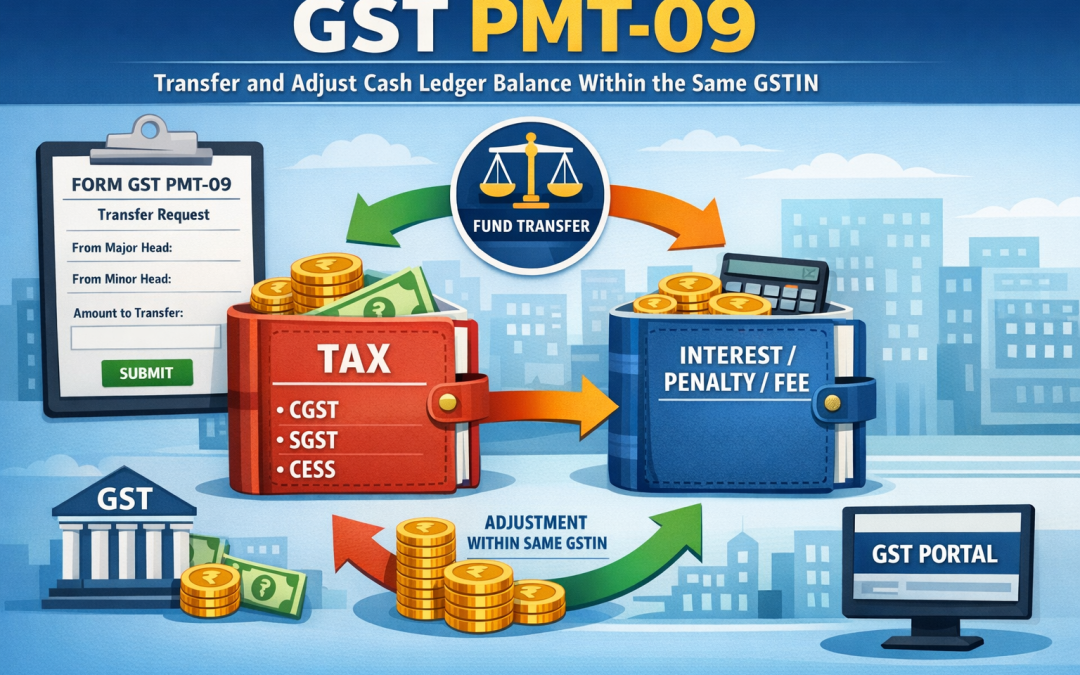
Quick Reference: What is PMT-09?
| Form | GST PMT-09 (Payment – 09) |
| Purpose | Transfer/re-allocate balance between tax heads (IGST, CGST, SGST/UTGST, Cess) within the same GSTIN’s Electronic Cash Ledger |
| Portal | GST Portal — www.gst.gov.in |
| Introduced | Notification No. 37/2019 – Central Tax, dated 21st August 2019 |
| Availability | Available to all regular, composition, and other taxpayers with an active GSTIN |
1. Introduction to GST PMT-09
In the Indian GST framework, every registered taxpayer maintains an Electronic Cash Ledger on the GST portal. This ledger holds cash deposited by the taxpayer and is divided into five major heads: Integrated Tax (IGST), Central Tax (CGST), State/UT Tax (SGST/UTGST), and Cess. Payments made toward tax liabilities are debited from this ledger against the respective head.
A common challenge faced by taxpayers is excess balance sitting in one tax head while there is a shortfall in another. For example, a taxpayer may have deposited ₹50,000 under CGST but their actual liability is under IGST. Prior to the introduction of PMT-09, there was no mechanism to reallocate such balances without seeking a refund — a time-consuming and complex process.
Form PMT-09, introduced by the CBIC in 2019 and operationalized on the GST portal, resolves this issue by allowing taxpayers to transfer surplus amounts between major and minor heads within their own Electronic Cash Ledger without filing for a refund.
2. Legal Basis and Applicability
2.1 Statutory Provision
PMT-09 is governed by Rule 87(13) of the CGST Rules, 2017, inserted via the CGST (Fifth Amendment) Rules, 2019. The provision reads:
“A registered person may, on the common portal, transfer any amount of tax, interest, penalty, fee or any other amount available in the electronic cash ledger under the Act to the electronic cash ledger for integrated tax, central tax, State tax or Union territory tax or cess in FORM GST PMT-09.”
2.2 Who Can Use PMT-09?
- All GST-registered taxpayers (Regular scheme)
- Composition scheme taxpayers
- Input Service Distributors (ISD)
- Non-resident taxable persons (with certain limitations)
- TDS/TCS deductors registered under GST
3. Structure of the Electronic Cash Ledger
The Electronic Cash Ledger is organized into the following major and minor heads. PMT-09 allows reallocation both across major heads and between minor heads within the same major head.
| Head / Sub-Head | Description |
| IGST – Tax | Integrated Goods and Services Tax liability |
| IGST – Interest | Interest on delayed IGST payments |
| IGST – Penalty | Penalty under IGST provisions |
| IGST – Fee | Late fees, filing fees under IGST |
| IGST – Other | Any other amounts under IGST |
| CGST – Tax | Central Goods and Services Tax liability |
| CGST – Interest | Interest on delayed CGST payments |
| CGST – Penalty | Penalty under CGST provisions |
| CGST – Fee | Late fees, filing fees under CGST |
| CGST – Other | Any other amounts under CGST |
| SGST/UTGST – Tax | State/Union Territory GST liability |
| SGST/UTGST – Interest/Penalty/Fee/Other | Corresponding sub-heads for SGST/UTGST |
| Cess – Tax/Interest/Penalty/Fee/Other | GST Compensation Cess sub-heads |
4. When Should You Use PMT-09?
4.1 Common Scenarios
- Excess deposit under CGST but liability exists under IGST (or vice versa)
- Amount deposited under ‘Tax’ head but penalty or interest is due under the same major head
- Excess Cess balance with no Cess liability — transfer to another applicable head
- Erroneous challan payment made to wrong tax head
- Carry-forward correction after reconciling GSTR-3B vs actual liability
4.2 Key Restrictions
- Transfer is allowed only within the SAME GSTIN — cross-GSTIN transfers are not permitted
- Amounts already utilized against liabilities cannot be transferred
- The Electronic Credit Ledger (ITC ledger) cannot be used for transfer purposes.
- The form cannot be used to transfer amounts to another person’s GSTIN
- Negative balances cannot be created in any head after the transfer
5. Step-by-Step Process to File PMT-09 on the GST Portal
| Step 1 | Log in to the GST Portal at www.gst.gov.in using your valid credentials (Username and Password) and complete the CAPTCHA verification. |
| Step 2 | On the Dashboard, navigate to the top menu. Click on ‘Services’ → ‘Ledgers’ → ‘Electronic Cash Ledger’. |
| Step 3 | On the Electronic Cash Ledger screen, you will see the current balance across all major and minor heads. Review the available balances to identify the excess and deficit heads. |
| Step 4 | Click on the ‘Transfer Balance (PMT-09)’ button/link displayed on the Electronic Cash Ledger screen. This opens Form GST PMT-09. |
| Step 5 | In the form, under the ‘FROM’ section, select the Major Head (IGST/CGST/SGST/Cess) and Minor Head (Tax/Interest/Penalty/Fee/Other) from which you want to transfer the amount. Input the amount for transfer. |
| Step 6 | Under the ‘TO’ section, select the destination Major Head and Minor Head. The portal will validate that the ‘From’ balance is sufficient for the transfer. |
| Step 7 | Click ‘Save’ to review the entry. The portal displays a summary showing the current balance, transfer amount, and resulting balance in both heads. |
| Step 8 | Verify the transfer details carefully. Once satisfied, proceed to authenticate the filing. Choose either DSC (Digital Signature Certificate) or EVC (Electronic Verification Code via OTP) to submit. |
| Step 9 | After successful submission, an Application Reference Number (ARN) is generated. The Electronic Cash Ledger is updated immediately, reflecting the new balances in the respective heads. |
| Step 10 | Download or note the ARN for your records. You can also view the updated ledger on the same page to confirm the transfer has been processed. |
6. Important Points and Conditions
6.1 Real-Time Effect
Unlike many GST forms that require processing time, PMT-09 takes effect immediately upon successful filing. Changes in the Electronic Cash Ledger are reflected in real time, and the transferred amount is available for utilization in the destination head right away.
6.2 No Reversal After Filing
Once a PMT-09 is successfully filed and an ARN is generated, the transfer cannot be reversed through the portal. If a mistake is made, you would need to file another PMT-09 to transfer the amount back. Always double-check the ‘FROM’ and ‘TO’ heads and the amount before authenticating.
6.3 Tax Period Neutrality
PMT-09 is not linked to any specific tax period. The transfer simply reallocates the available balance in the cash ledger and does not affect previously filed returns. However, it is good practice to document the reason for transfer for audit trail purposes.
6.4 Multiple Transfers in a Day
The GST portal does not impose a restriction on the number of times PMT-09 can be filed in a day, as long as sufficient balance exists in the source head for each transfer request.
6.5 Impact on GSTR-3B and Returns
Filing PMT-09 does not automatically amend any previously filed GSTR-3B or other returns. The transfer only affects the cash ledger balance available for future use or for settling existing outstanding liabilities.
7. Practical Example
Scenario
M/s ABC Traders (GSTIN: 27AABC1234A1Z5) deposited ₹1,00,000 under CGST – Tax head via challan. However, upon filing GSTR-3B, they realize their actual liability is:
- IGST – Tax: ₹80,000
- CGST – Tax: ₹20,000
- SGST – Tax: ₹20,000
The current balance in the Electronic Cash Ledger is:
| Head | Balance Available |
| IGST – Tax | ₹0 |
| CGST – Tax | ₹1,00,000 |
| SGST – Tax | ₹0 |
Action via PMT-09
- Transfer ₹80,000 FROM CGST – Tax TO IGST – Tax
- Transfer ₹20,000 FROM CGST – Tax TO SGST – Tax (if applicable, subject to state rules)
After the two PMT-09 filings, the Electronic Cash Ledger will show:
| Head | Balance After Transfer |
| IGST – Tax | ₹80,000 |
| CGST – Tax | ₹20,000 (remaining) |
| SGST – Tax | ₹20,000 |
M/s ABC Traders can now use these balances to offset their respective liabilities in GSTR-3B.
8. PMT-09 vs. Refund Claim: Key Differences
| Parameter | PMT-09 (Transfer) | Refund (RFD-01) |
| Scope | Within same GSTIN only | Can claim back to bank account |
| Time to Process | Instant (real-time) | Typically 30–60 days |
| Cash Outflow | None — internal reallocation | Funds returned to bank |
| Documentation | Minimal — portal-based | Supporting documents required |
| Use Case | Reallocation of excess head balance | Excess tax paid beyond liability |
| Reversal | Via another PMT-09 | Not reversible once sanctioned |
9. Common Errors and Troubleshooting
| Error / Issue | Resolution / Tip |
| Insufficient balance in ‘FROM’ head | Check current ledger balance before initiating transfer; ensure the source head has adequate funds |
| PMT-09 option not visible on portal | Ensure you are on the Electronic Cash Ledger page; check if your GSTIN status is Active |
| EVC OTP not received | Verify registered mobile number; use DSC as an alternative authentication method |
| Transfer reflected but liability not offset | After PMT-09, manually set off liability in GSTR-3B payment page or outstanding demand page |
| Filed PMT-09 with wrong amount | File a second PMT-09 to reverse: transfer the mistaken amount back from the destination head to the source head |
| SGST transfer not allowed | SGST/UTGST transfers may have state-specific portal constraints; contact the State GST authority helpdesk |
10. Frequently Asked Questions (FAQs)
Q1. Can I use PMT-09 to transfer balance to another GSTIN, even of the same company?
No. PMT-09 is strictly limited to reallocation within the same GSTIN. Different GSTINs are treated as separate legal entities under GST, even if they belong to the same organization.
Q2. Is there any fee or charge for filing PMT-09?
No. Filing PMT-09 on the GST portal is completely free of charge. No challan or fee is required.
Q3. Can excess Input Tax Credit (ITC) in the Electronic Credit Ledger be transferred using PMT-09?
No. PMT-09 applies exclusively to the Electronic Cash Ledger. The Electronic Credit Ledger (ITC) is governed by separate provisions. Excess ITC may be claimed as a refund under RFD-01 in eligible cases.
Q4. Does PMT-09 require pre-approval or acknowledgment from the tax department?
No. PMT-09 is a self-service facility. The transfer is effected immediately upon successful authentication (DSC or EVC) without any departmental approval.
Q5. Is there any time limit to file PMT-09?
There is no prescribed time limit for filing PMT-09. It can be filed at any time as long as there is a positive balance available in the source head of the Electronic Cash Ledger.
Q6. Will PMT-09 affect my filed GSTR-3B or GSTR-1?
No. PMT-09 only reallocates the cash ledger balance. It does not amend any previously filed returns. Returns are independently filed and are not altered by ledger reallocation.
Q7. What authentication options are available for PMT-09?
Two options are available: (1) Digital Signature Certificate (DSC) for companies and LLPs; (2) Electronic Verification Code (EVC) via OTP sent to the registered mobile number or email for proprietorships, partnerships, and individuals.
11. Key Takeaways
- PMT-09 is a powerful and immediate tool to correct challan allocation errors without filing for a refund.
- It operates within the Electronic Cash Ledger of the same GSTIN only.
- The transfer is irreversible through the system — any correction requires a fresh PMT-09 in the reverse direction.
- No departmental approval is needed; the process is fully automated on the GST portal.
- Taxpayers should periodically reconcile their cash ledger balances to identify and correct misallocations before filing returns.
- Maintain documentation of each PMT-09 filing (ARN, date, amount, reason) for GST audit trail and annual reconciliation purposes.
Recent Comments